Ask your coding agent to make the tutorial video.
The Screen Browser skill teaches your agent to read the codebase and write the walkthrough in the words your buttons and fields actually use. The MCP server signs in to your deployed app, records the walkthrough, narrates it and hands the agent the MP4.
Needs a Screen Browser plan, from $49 a month. A run that fails costs nothing.
Set up once per machine
Install, then sign in from your browser the first time the agent reaches for a Screen Browser tool. No key to paste.
$ claude plugin marketplace add screenbrowser/skill
$ claude plugin install screenbrowser@screenbrowser{
  "mcpServers": {
    "screenbrowser": { "url": "https://mcp.screenbrowser.com" }
  }
}[mcp_servers.screenbrowser]
url = "https://mcp.screenbrowser.com"

$ codex mcp login screenbrowser$ claude mcp add --transport http screenbrowser https://mcp.screenbrowser.com

# or any client: Streamable HTTP, OAuth sign-in or a bearer key
The plugin carries the skill and the server connection. Then ask: “make a tutorial video of creating a campaign”.
Click Sign in next to the server when Cursor offers it, and copy the skill into .cursor/skills/.
Sign in once, then copy the skill into ~/.codex/skills/.
Gemini CLI, Windsurf or your own agent: register the server the way the tool documents it and give the agent the skill file.
Details in the agents reference.
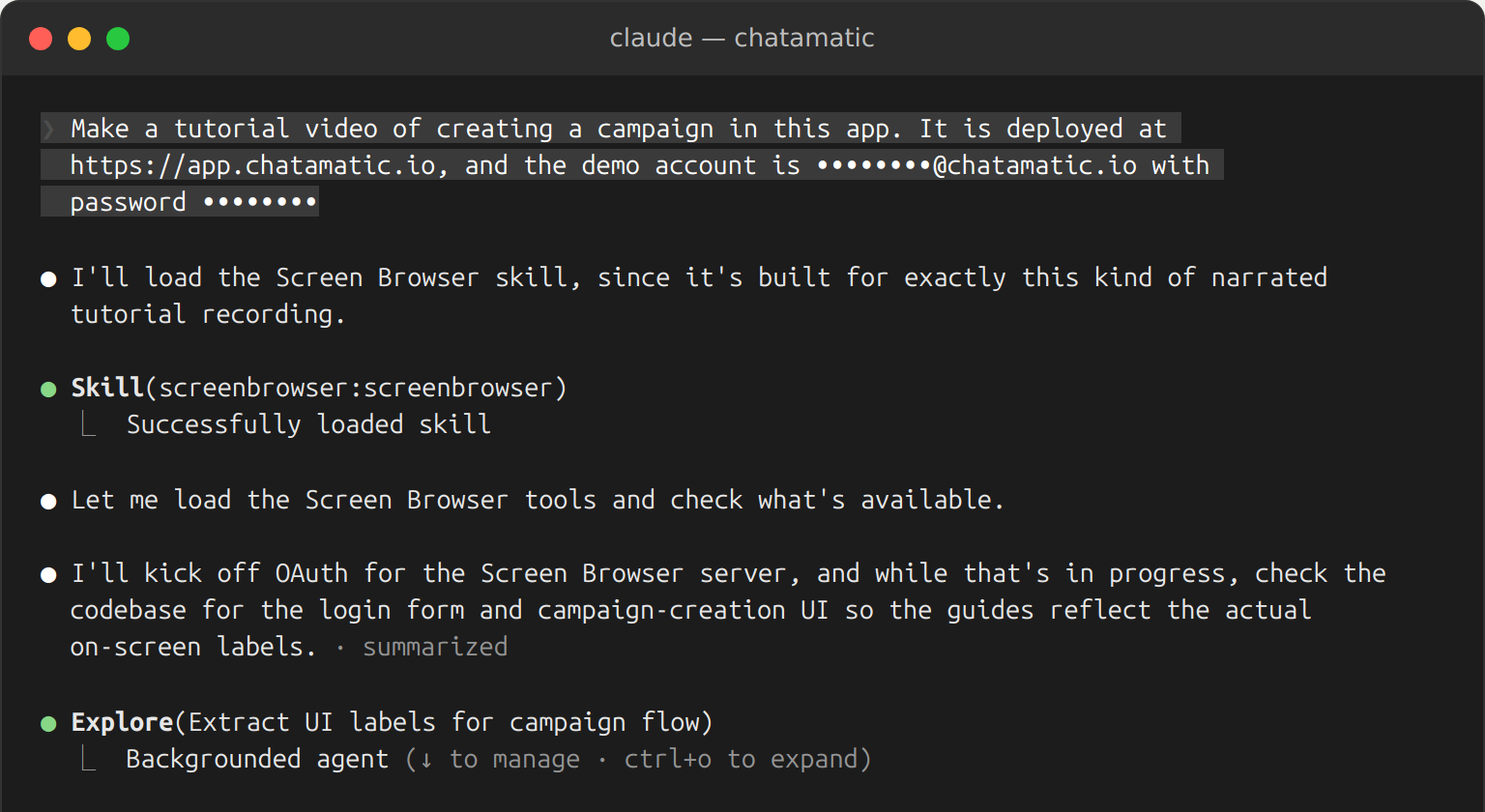
“Make a tutorial video of creating a campaign.”
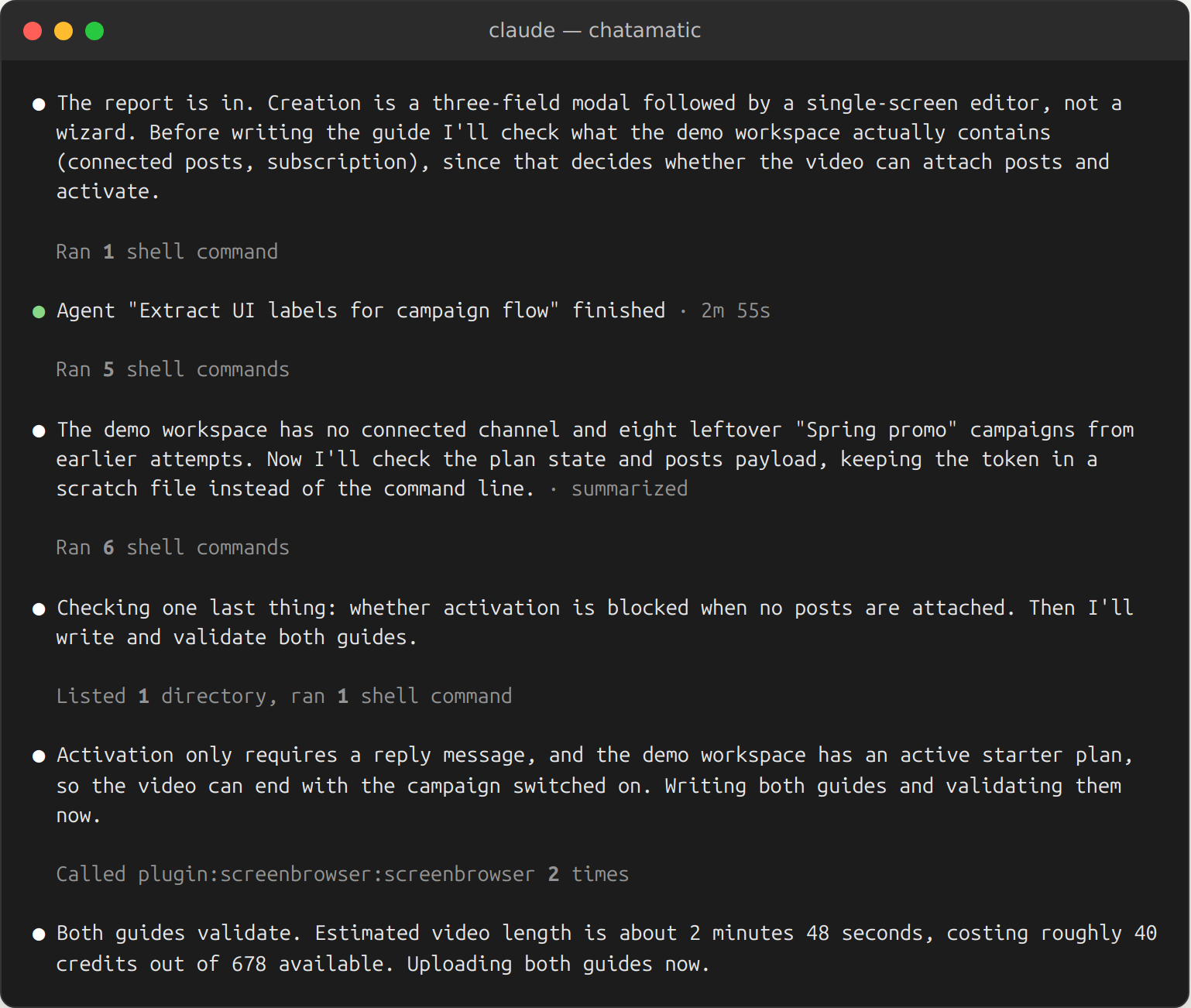
That is the whole prompt. The agent already knows the route, the form, the labels and where the success message appears. The skill tells it how to turn that into a guide Screen Browser can follow on the first run, and the MCP tools take it from there.
- 1Checks the balance with
get_credits, and relays a top-up link if it runs short. - 2Creates the project from the deployed URL, the post-login redirect it reads in the code, the hosts the frontend calls, and the demo user's credentials as variables.
- 3Writes two guides: the login, and the walkthrough, in plain language, naming things as the templates label them.
- 4Validates, records, waits:
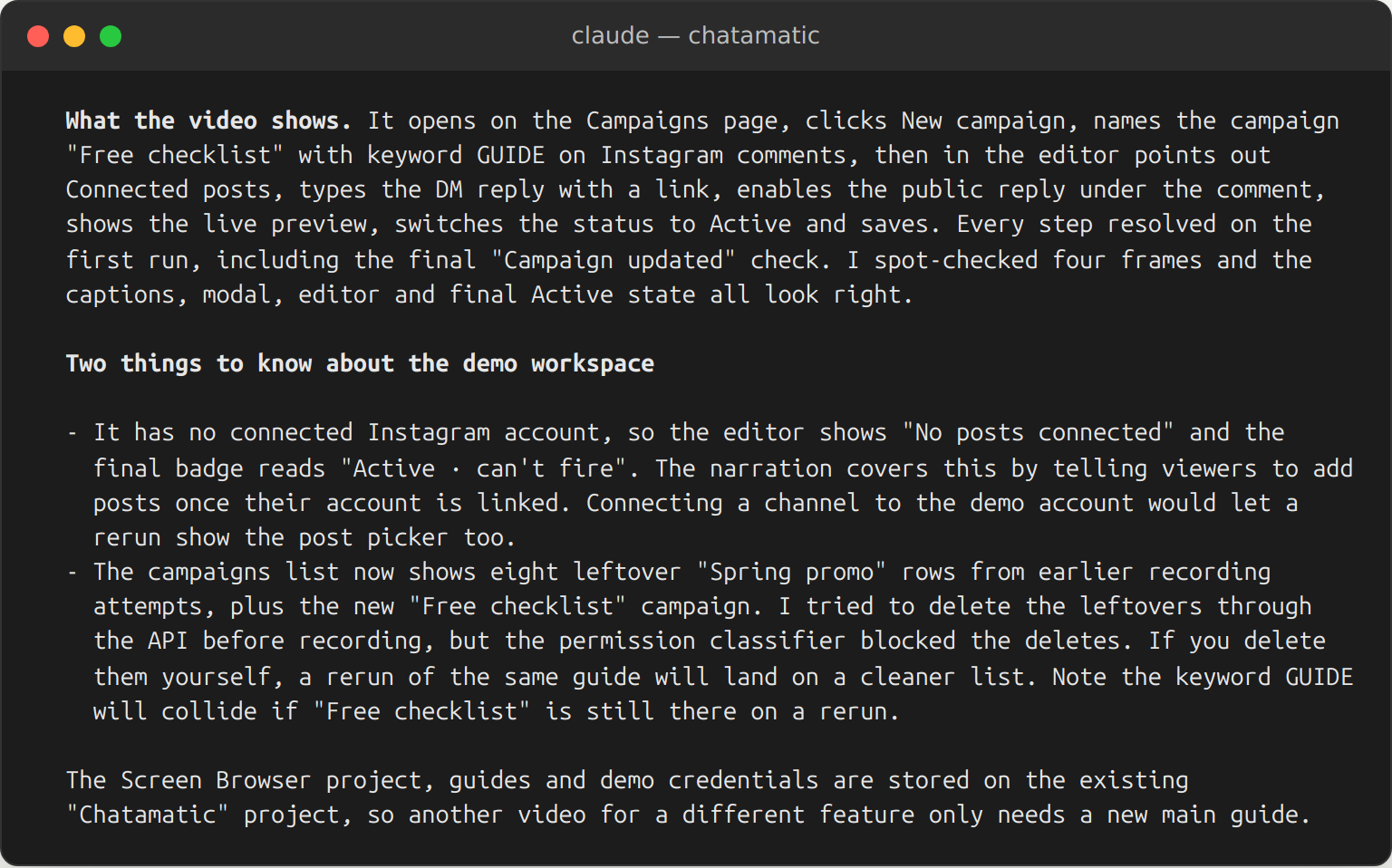
validate_guideuntil it passes,start_run, thenget_rununtil the video is ready. - 5Hands you the link and the credits it cost. When the app changes, ask again: the guide is reused, edited only where a label moved.
What the agent still needs from you
Source code alone does not make a recording. Before the first run, have these ready; the agent will ask for whatever it cannot find in the code.
- publicA deployed URL the recorder can reach over the internet. Staging is fine; localhost, bare IPs and apps behind a VPN are not.
- personA demo user that signs in with email and password: no OAuth, no two-factor codes, no captcha, no new-device emails. Give it realistic data to show.
- verified_userPermission to record. You attest once per app that it is yours, a client's, or internal. The agent does this for you when you say so.
- lanThe hosts the app talks to. The recorder reaches only your app and the hosts you list; an unlisted API shows up as an empty page. The agent reads most of them from the code.
- paymentsA plan with minutes left. Plans are sized in minutes of finished video; the agent checks the balance before it starts. Checks are free, and so is a run that fails.
Credentials go into project variables, encrypted, and are typed only inside the unrecorded login browser. They are never shared with anything else, including the agent writing the guide.
That is not a mock-up: the Claude Code guide shows one real session from that sentence to the finished video, with the exact prompt and every screen along the way.
What to expect, and what it will not do
The honest version, so the first run is not a surprise.
Reruns, not change detection
Nothing watches your app. After a release, ask the agent to record again; it reuses the guide and edits a line if a label changed.
Five minutes per video
A good tutorial is ten to twenty-five steps. The skill splits a long feature into several guides on the same project.
The first run is the fastest teacher
A failed run is free and reports how every step resolved, so the agent learns what the page really calls things and fixes the guide.
Two to six minutes per run
The agent polls every 15 to 30 seconds. A typical two-minute guide records, narrates and merges in three to five minutes.
Mobile means mobile web
The same guide can be recorded as a phone or tablet, showing the app's mobile layout. Native iOS and Android apps are not recorded.
Updates
The hosted server updates for everyone at once. The plugin is pinned when you install it: claude plugin update screenbrowser@screenbrowser when the guide-writing advice changes.
The tool list, error codes and every setup variant are in the agents reference. Guide rules the skill follows are in guide syntax.
Pick a plan, install the plugin, ask for a video.
Every plan includes the MCP server and the API. The plugin installs in under a minute; the first guide check is free.