AI that makes your web app demo videos.
Paste a guide, describe the feature in a sentence, or let your coding agent write it from the source. Screen Browser signs in to your web app, records the walkthrough, narrates it and hands you the MP4, a GIF, subtitles and chapters. When the app changes, rerun instead of re-recording.
From $49 a month. A failed run costs nothing.
Needs a deployed app we can reach and a demo user that signs in with email and password. What else my app needs
How it works
One project per app. As many guides as you have things to show.
1. Connect the app
Anything a browser can open: a SaaS product, an internal tool, a public website, a self-hosted admin. Give it the URL, a demo user that signs in with email and password, and the words or path that prove the login worked.
2. Write the guide
Ten to twenty-five steps in plain language, with a quoted sentence every few steps for the narration. Or let your coding agent write it from the source.
3. Check, then record
A free check walks the guide and shows a screenshot per step. Then a run signs in, records, narrates, adds the effects and merges the MP4, with the GIF, subtitles and chapters next to it.
4. Rerun when the app changes
New release, new button label, new language: edit a line or nothing at all and record again. A run that fails is not charged.
See it done, start to finish: from a blank project to the first video, in 2 minutes and 13 seconds.
A guide is plain language. Yours, or written for you.
Have a help article or a runbook? Paste it. Have nothing but the feature in mind? Describe it in a sentence and the app writes the steps. Working in a codebase? Your coding agent writes the guide from the source. Screen Browser then finds every button and field on the live page, learns what the page calls the things it could not find, and remembers for next time.
- check_circleNarration, captions and highlights written for you from the quoted sentences.
- check_circle“Check” walks the guide in your app first, free, with a screenshot per step.
- check_circleLogin happens in a separate, unrecorded browser. Credentials never appear in the video.
Your agent already knows the app. Let it write the guide.
Screen Browser is an MCP server. Claude Code, Codex, Cursor or any MCP client can create the project, write the guide from the source code, upload it, start the run and bring back the video. The skill tells the agent how to write guides that work on the first run.
Set it up in two commands arrow_forward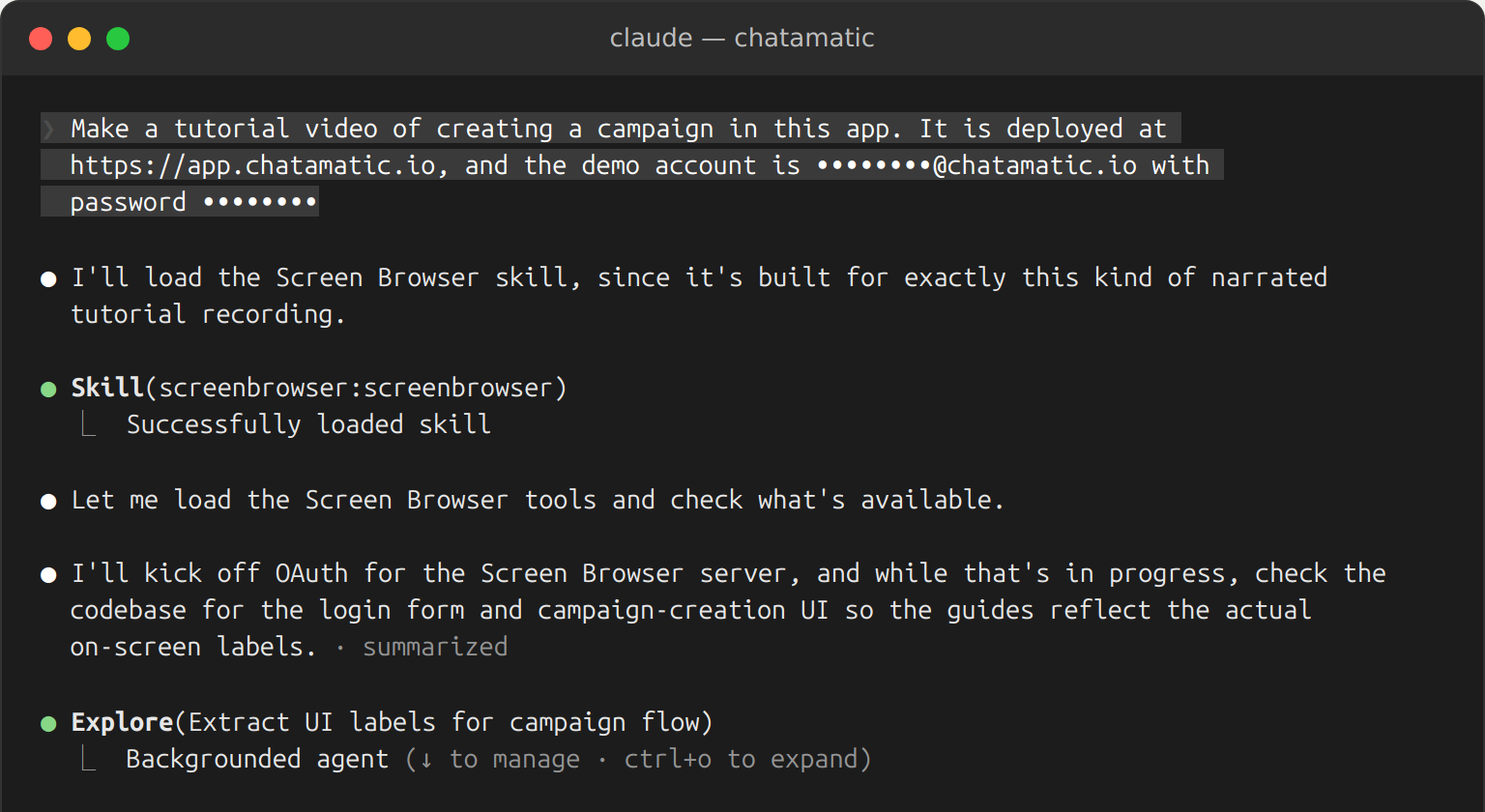
One guide, 91 languages, your own voice if you want it.
Pick the narration language and a voice per project, or per video. Standard and Studio voices, or your own ElevenLabs voice on your own key. Subtitles can be burned in from the narration.
Apps in another language work too: tell the project which language its buttons and labels are in and the recorder looks for those words.
- English
- Deutsch
- Français
- Español
- Italiano
- Português
- Nederlands
- Polski
- Svenska
- Dansk
- Norsk
- Suomi
- Íslenska
- Eesti
- Latviešu
- Lietuvių
- Čeština
- Slovenčina
- Slovenščina
- Hrvatski
- Bosanski
- Српски
- Македонски
- Български
- Română
- Magyar
- Ελληνικά
- Українська
- Gaeilge
- Cymraeg
- Malti
- Lëtzebuergesch
- Català
- Galego
- Asturianu
- Occitan
- Türkçe
- 中文
- 粵語
- 日本語
- 한국어
- हिन्दी
- বাংলা
- Bahasa Indonesia
- Tiếng Việt
- ไทย
- Filipino
- Bahasa Melayu
- தமிழ்
- اردو
- العربية
- עברית
- فارسی
- Kiswahili
- አማርኛ
- isiZulu
- Afrikaans
- Hausa
- Yorùbá
- Soomaali
And 31 more, from Armenian and Georgian to Lao, Luganda and Wolof. See all 91 languages
Every video opens with your logo and ends with your call to action.
Upload your logo once. Colours are suggested from it, the font is yours, and every video gets a branded opening with its title and an ending that tells viewers what to do next. Captions and highlights take your colours too.
- checkYour logo
- checkYour colours
- checkYour font
- checkYour call to action
Only the recording uses your minutes; the opening and ending are on us. How branding works.
Effects come from the words, or from a line in the guide.
Screen Browser adds captions and highlights on its own from the quoted sentences. When you want a particular effect, write it on the line before the step it decorates: [ZOOM "text=Save" 1.6]. Twenty-four effects, 1080p or 4K.
Six moments from the video at the top of this page, as the recorder made them.
The button ringed in yellow, the rest of the page dimmed, so the eye lands where the click goes.
The page moves in on the form while the fields are filled, and back out when it is done.
A note beside a field, for the thing a viewer would otherwise have to guess.
An arrow to the part of the page the narrator is talking about, with a short card.
A toast for the moment it worked. Confetti when it deserves it.
The page blurs behind a title card at the start of each chapter.
One guide. Desktop and phone.
Pick a device and the same guide is recorded as an iPhone, a Pixel or an iPad: the app shows its mobile layout, its menu button, its stacked forms. You get a vertical video in a phone frame for Reels, Shorts and app-store style previews, a widescreen one for YouTube, or the bare screen.
- check_circleCurrent models only: iPhone 17 Pro and Pro Max, Pixel 10 and 10 Pro XL, iPad, iPad Pro, Galaxy Tab. A new model replaces the old one.
- check_circleNeutral backdrop or your brand colour behind the phone. A fingertip instead of a pointer.
- check_circleSame cost per minute as the desktop version. A phone version of a guide is its own run.
The MP4 is the start. Every run ships ready for wherever it goes.
Next to the video, a finished run leaves a GIF for the pull request, subtitles for YouTube, chapters for the description and a thumbnail for the docs page. All of it sits on the run page and comes back through the API.
A webhook tells your systems the moment the video is done, with signed links to every file. Nobody has to open the app.
Exports and webhooks in the docs arrow_forward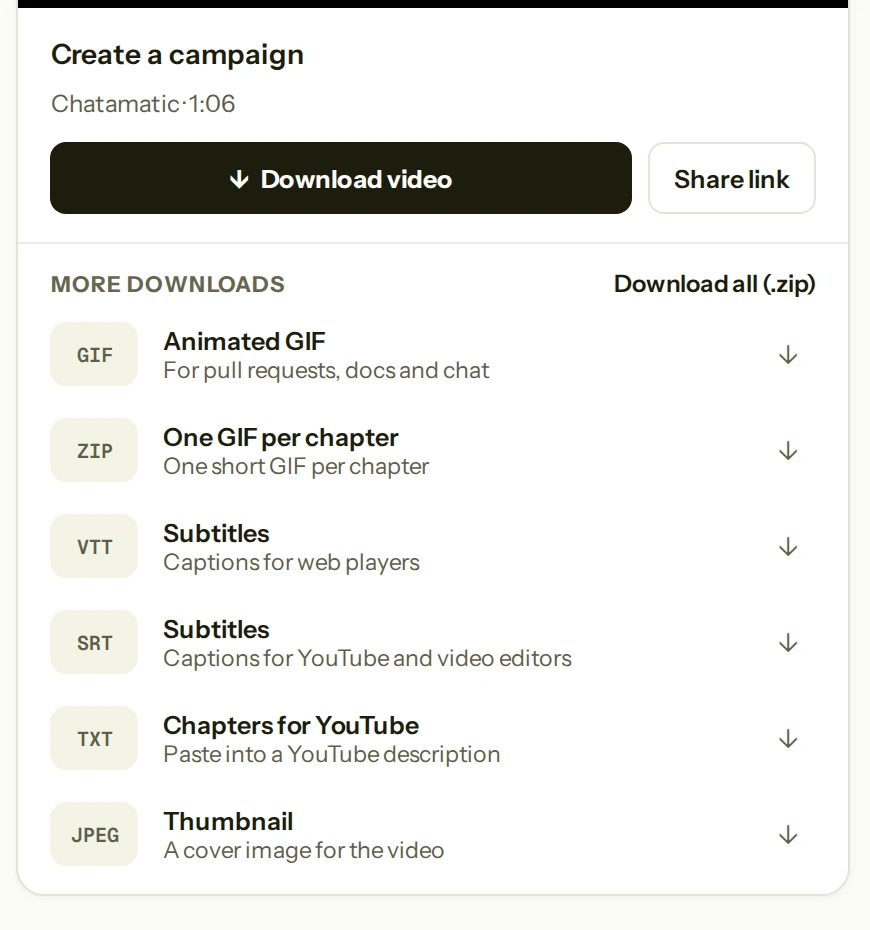
{
  "type": "run.completed",
  "data": {
    "title": "Chatamatic — Create a campaign",
    "duration_seconds": 66,
    "downloads": {
      "video":         "https://…/final.mp4?…",
      "gif":           "https://…/video.gif?…",
      "subtitles_srt": "https://…/subtitles.srt?…",
      "chapters":      "https://…/chapters.txt?…",
      "thumbnail":     "https://…/thumbnail.jpg?…"
    },
    "downloads_expire_at": "2026-09-08T10:12:00Z"
  }
}
Signed, retried, and already holding the files.
Screen Browser calls your URL when a run is queued, recording, finished or failed. Every delivery is signed with your endpoint's secret, retried with backoff, and listed with the response it got. The completion event carries links to every file, valid for 24 hours, so the receiver needs no API key.
Point it at Zapier, Make or n8n and the video lands where you publish. A coding agent can do the same from the payload, and developer teams often drop the file straight into their own bucket. None of these are built-in integrations: the webhook carries the links, your automation moves the file.
Places a webhook delivers to
Pay for finished minutes, not seats
Plans are sized in minutes of finished video. The 73-second video at the top of this page, with a Studio voice, used about 1.6 minutes; its opening and ending were free. A run that fails costs nothing. Try a monthly plan for 7 days for $3.99, or pay yearly with two months free.
Starter
$490 billed yearly · 2 months freebilled monthly after the trial
7-day trial
$3.99
About 5 minutes of video
First month
30 minutes instead of 20
10 bonus minutes, then about 20 a month
For solo makers shipping their first product videos.
- checkAbout 240 minutes of video a year
- check1 run at a time, 20 free checks a day
- checkThe everyday effects, 1080p, 4K available
- checkYour logo and colours, a branded opening and ending
- checkMCP and API access, no watermark
Cancel during the trial and you pay nothing more.
Pro
$1,490 billed yearly · 2 months freebilled monthly after the trial
7-day trial
$3.99
About 5 minutes of video
First month
90 minutes instead of 70
20 bonus minutes, then about 70 a month
For product teams that document every release.
- check_circleAbout 840 minutes of video a year
- check_circle4 runs at a time, 100 free checks a day
- check_circleEvery effect: zoom, arrows, tooltips, fades, confetti
- check_circleFull branding: every style, your font, your own clips
- check_circlePriority support
Cancel during the trial and you pay nothing more.
Team
from $3,990 billed yearly · 2 months freebilled monthly
For agencies and support teams recording at scale. On request.
- checkAbout 200 minutes a month, then $2.00 per extra minute
- check10 seats, 10 runs at a time
- checkEverything in Pro, SSO and SCIM
- checkDedicated support
Minutes are counted at 1080p with a Standard voice; 4K, Studio voices and burned-in subtitles use more of the month, and the app shows an estimate before every run. Monthly minutes reset on your billing date; top-up packs cover a busy month. The 7-day trial on monthly Starter and Pro costs $3.99 and includes about 5 minutes of video; keep your plan after it and your first month comes with the bonus minutes. Cancel during the trial and you pay nothing more. VAT is added for EU customers unless a valid VAT number is given at checkout. See the full pricing.
Login is never recorded
Sign-in runs in a separate browser context that is thrown away. Credentials are stored encrypted, typed only inside that browser, and never shared with anyone or anything else.
Only the hosts you allow
Each recording runs in a fresh, isolated environment that can reach your app and the hosts you list, nothing else. You attest once that you may record each app.
Nothing stays behind after the run
Nothing about your app stays behind except the video and the run report in your account. Failure evidence is shared with us only when you click “Send failure report”.
Questions people ask first
Everything else is in the documentation.
What does my app need? expand_more
Anything that runs in a browser: SaaS products, internal tools, public websites, self-hosted apps such as WordPress, Gitea or Keycloak. Responsive apps can also be recorded as a phone or tablet. It needs a URL we can reach and a demo user that signs in with email and password: no OAuth, no two-factor codes, no captcha, no new-device emails. Seed the demo account with realistic data so the walkthrough has something to show.
What happens when the app changes? expand_more
Rerun the guide. Steps name things the way a person sees them, so a moved button still resolves. If a label changed, the recorder learns what the page calls it now and remembers it. If a step really cannot be found, the run stops there, tells you which line, and costs nothing.
Is there a free plan or a trial? expand_more
There is no free plan, but there is a trial: 7 days for $3.99 on monthly Starter or Pro, with about 5 minutes of video to make your first one. Keep the plan after the trial and your first month comes with bonus minutes (10 on Starter, 20 on Pro); cancel during the trial and you pay nothing more. Always free: checking a guide before you record it, and any run that does not finish.
How long can a video be? expand_more
Five minutes. A good tutorial is ten to twenty-five steps, one to two minutes long. Split a long flow into several guides on the same project.
Can I use my own voice? expand_more
Yes, if you have it on ElevenLabs: register the voice id with your own ElevenLabs API key and every video can narrate with it, at the base rate. The key is stored encrypted and used for the narration call only.
Can it record a staging or private deployment? expand_more
Staging works as long as it has a hostname the recorder can reach over the internet. The recording runs in an isolated environment that talks only to your app's host and the hosts you list for the project, such as your API or CDN. localhost, bare IP addresses and apps behind a VPN or an IP allow-list are out of reach.
Is mobile a real phone? expand_more
It is your web app's mobile layout: the same guide recorded in the browser's emulation of an iPhone, a Pixel or an iPad, delivered as a vertical video in a phone frame. Native iOS and Android apps are not recorded.
Can I download and keep the video? expand_more
Yes. The MP4, GIF, subtitles, chapters and thumbnail download from the run page and through the API, and the video is yours to publish anywhere. The signed links in webhooks and API responses expire after 24 hours, but that is only the link: the files stay in your account for as long as it exists, subject to any shorter retention you set, and are deleted within 30 days after you delete the account.
How do I top up, change plans or cancel? expand_more
All under Billing in the app. Top-up packs are valid for three months and are used after the month's minutes are gone. Upgrades apply immediately and are prorated; downgrades apply at the next billing date. Cancel any time: the subscription runs to the end of the period and you keep your credits until then. If you cancel your first subscription within 14 days, the unused credits are refunded.
The next release ships with its video already made.
Pick a plan, connect the app, write the first guide. Your first check is free and takes a minute.